The same policy check
A claim filed on WhatsApp is checked against your policy when it is submitted, like any other claim.

Employees do not have to open the app to file a claim. They send a message on WhatsApp, and the expense is logged or the trip is raised.
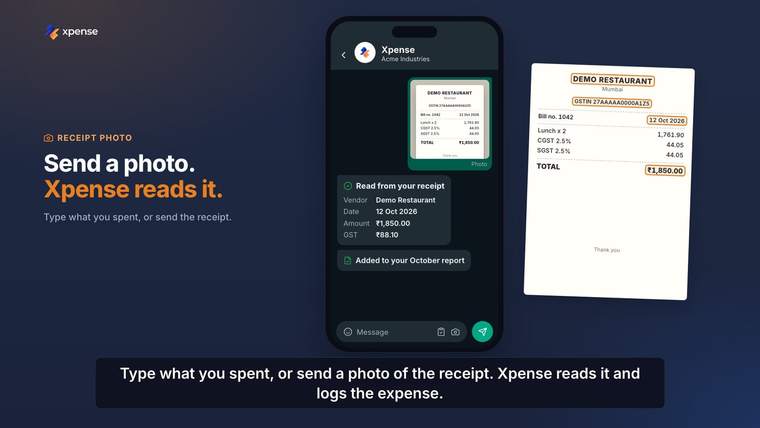
The employee sends a message such as the amount, what it was for and the city. The expense is logged.
If they send a photo of the receipt instead, the receipt is read for them and the expense is logged from it.
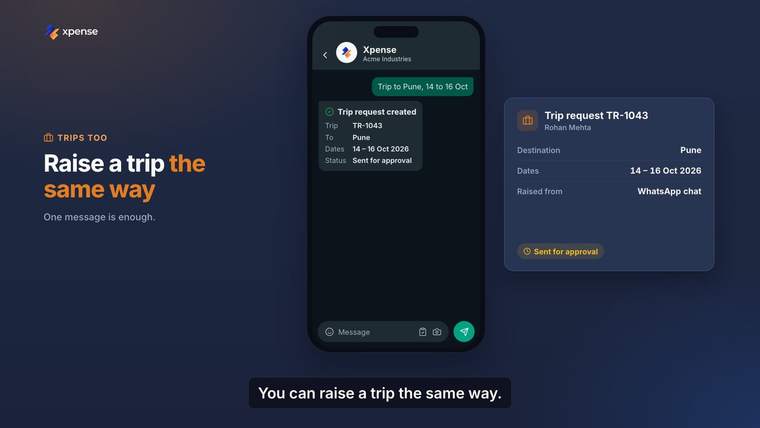
One message with the destination and the dates creates the trip request. It is the same assistant, AeonX IQ, that works inside Xpense.
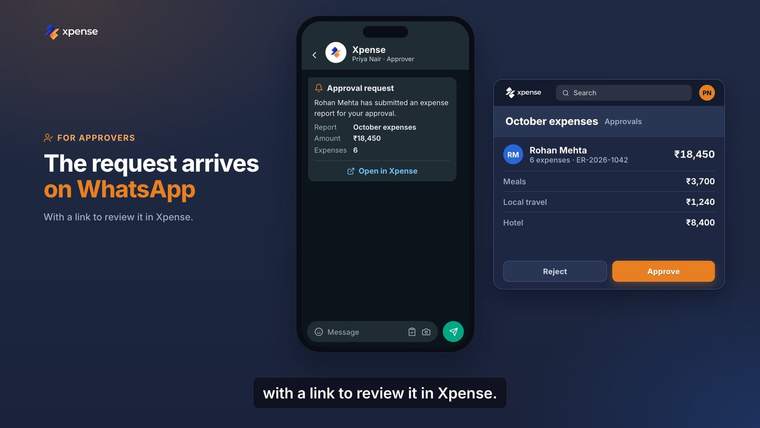
When something is waiting for an approver, the request arrives on WhatsApp with a link. The link opens the request in Xpense.
The approver signs in to Xpense and approves or rejects it there.
A claim filed on WhatsApp is checked against your policy when it is submitted, like any other claim.
Receipts are read automatically, with duplicate detection.
Receipt readingAeonX IQ works inside Xpense and on WhatsApp.
AeonX IQFrom the mobile app, from the web, or by chatting on WhatsApp. On WhatsApp they can type what they spent or send a photo of the receipt.
Yes. An employee can file an expense by WhatsApp chat. If they send a photo of the receipt, it is read for them.
The approval request arrives on WhatsApp with a link. The link opens the request in Xpense, where the approver signs in and approves or rejects it.
Yes. The same assistant works on WhatsApp, where employees can file expenses and create trips by chat.