Several companies, many plants
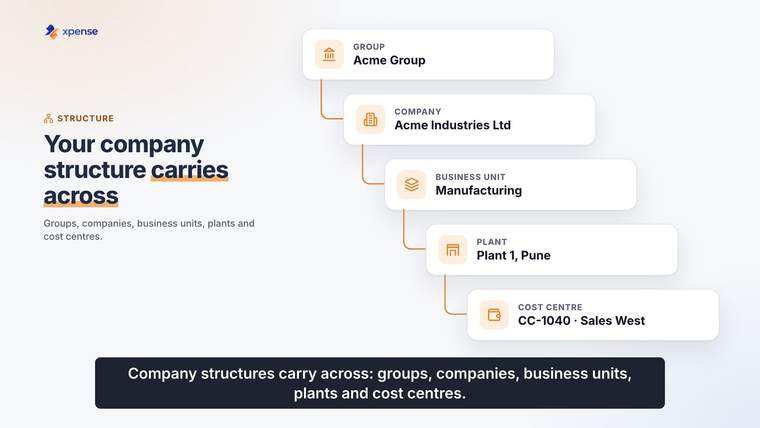
One structure covers the group, its companies and its plants.

A manufacturing group has several companies and plants. Xpense holds that structure. Trip requests carry your travel policy and city-class limits, and approved expense reports are posted to SAP.
One structure covers the group, its companies and its plants.
Every company sets its own multi-level approval workflow, module by module.
Flights are searched and booked inside the trip request, within policy.
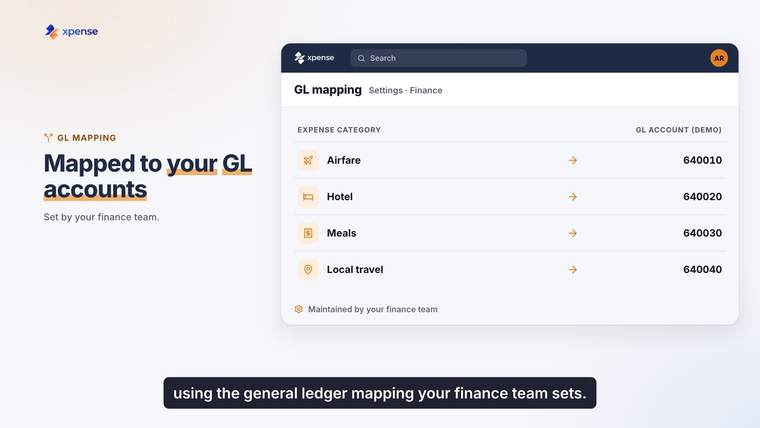
Approved expense reports are posted to SAP, with GL mapping.
One trip, from the request to the posting.
The employee raises the trip, and policy is applied to it.
The flight is booked inside the request.
An advance is requested where one is needed.
Claims come in from the app, the web or WhatsApp.
Each claim is checked against policy, then approved level by level.
The approved report goes to SAP.
Company groups, companies, business units, plants, cost centres and projects are set up in Xpense.
Approval workflows are configured per company.
The employee raises the trip and adds the flight to it. Search, policy check, approval, ticketing and cancellation happen in that one flow.
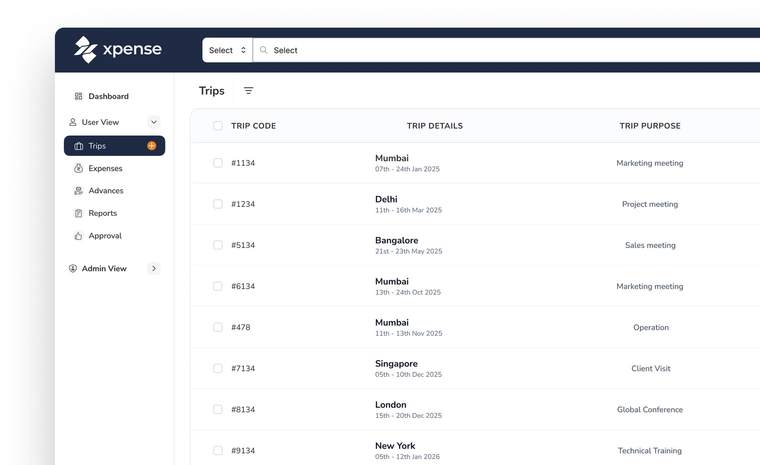
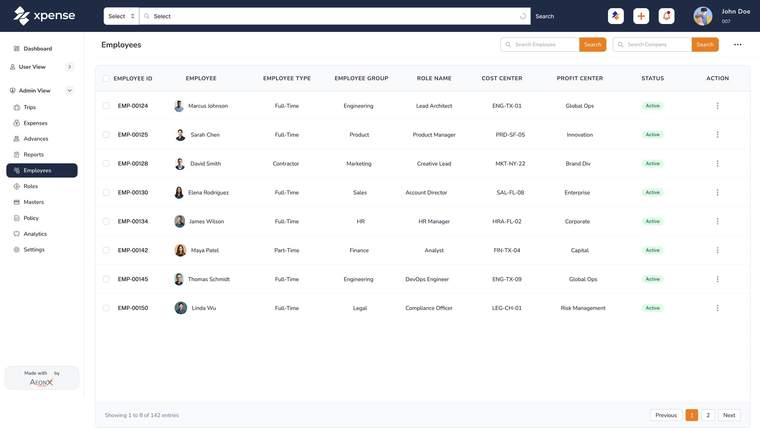
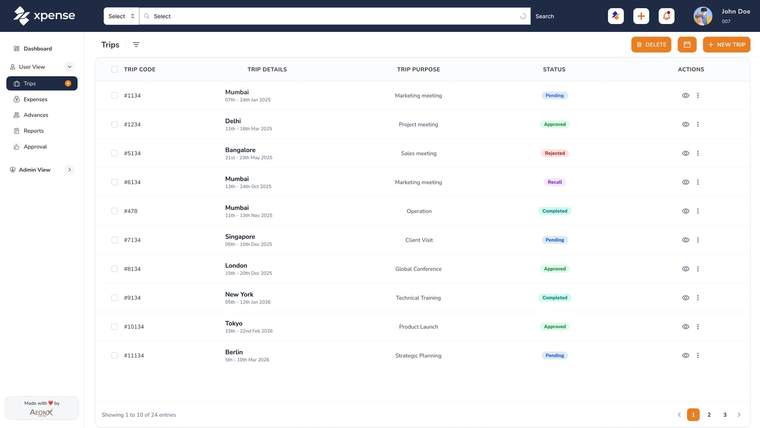
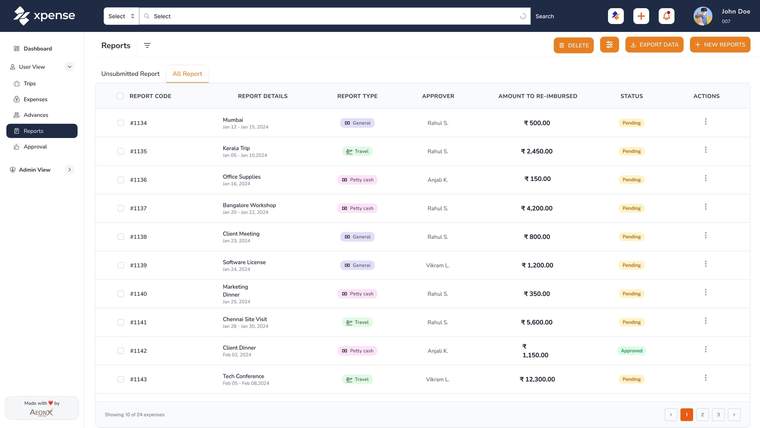
The employees list with cost centres, the trips list and the reports list, shown with demo data.
A reminder goes out when an approval passes its SLA.
Trip requests carry city-class limits as well as the travel policy.
Advances, petty cash and settlement are tracked end to end, in more than one currency.
Policy is checked by rule when a claim is submitted.
A receipt attached to a claim is read automatically, with duplicate detection.
GST details are captured and validated at submission and included in report exports.
Xpense has finance, manager and travel dashboards.
Tally voucher export is available.
An expense report is posted after it has been approved, with GL mapping. A report still waiting for approval is not posted.
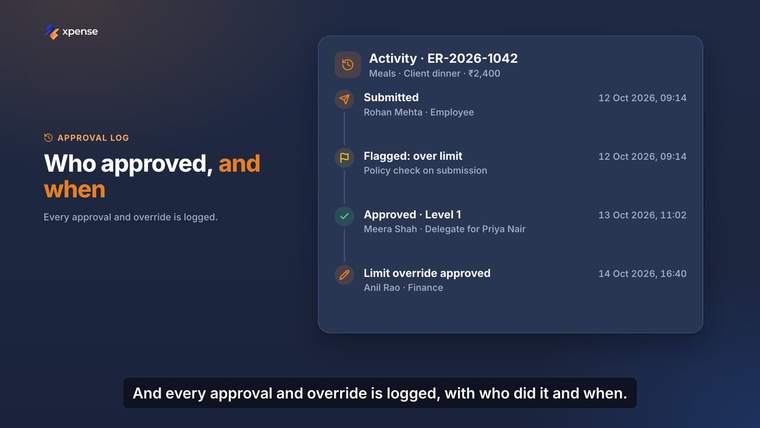
Each approval and each action is written to a log. A trip, an expense and an advance each have their own timeline. Access is role-based.
One structure for the whole group, and a finance dashboard.
CFO pageGST details validated at submission, and expense reports posted with GL mapping.
Finance controller pageTrip requests with city-class limits applied, and a travel dashboard.
Travel desk pageRole-based access, and approvals with delegation.
HR shared services pageYes. You can set up company groups, companies, business units, plants, cost centres and projects. Approval workflows are configured per module and per company.
Yes. Xpense posts approved expense reports to SAP, with GL mapping.
An expense report is posted after it has been approved. Reports that are still waiting for approval are not posted.
An advance is tracked from the request through to settlement, so finance can see what was issued and what is left to settle.
Approval workflows support delegation, so an approver can hand their approvals to someone else while they are away.
Approvals and actions are logged, and every trip, expense and advance has a timeline that shows who did what and when.