Xpense

Employee advances, petty cash and settlement, tracked to the end

An employee asks for an advance before a trip, or for petty cash. Xpense tracks it from the request to the settlement.

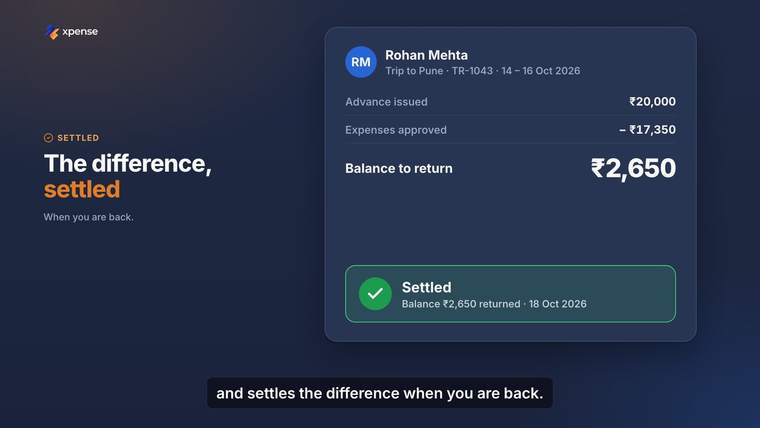
Advances and settlement An advance issued for a trip, expenses set against it, and the balance settled. Shown with demo data.
How an advance moves

From the request to the settlement

  1. Request

    The employee asks for a travel advance or petty cash.

  2. Approval

    The request goes through your approval levels.

  3. Tracking

    The advance is tracked while it is open.

  4. Settlement

    The advance is settled and closed.

In the portal

Every advance in one list

The advances list shows petty cash and travel advances with their amount and status. Advances, petty cash and settlement are tracked end to end.

Advances work in more than one currency, which matters for international trips.
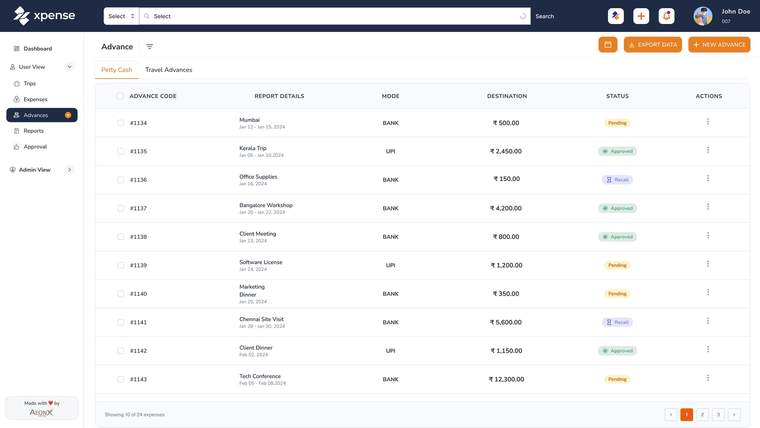
  • Xpense portal with demo data: the petty cash advances list with mode, amount and status
    The advances list in the portal, with demo data.
Records

A timeline for every advance

Each advance has a history: when it was requested, who approved it at which level, and what happened next.
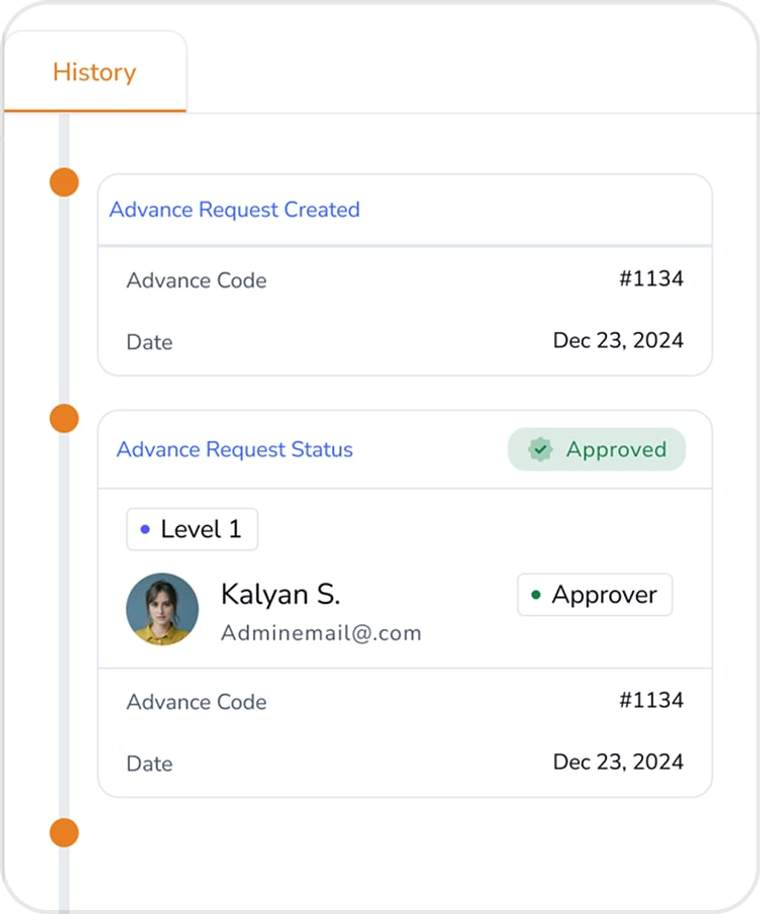
  • Xpense portal with demo data: the history of an advance request, with the approval level and the approver
    The history of an advance request, with demo data.

Settled after the trip

  • Still from an Xpense product video, with demo data: an advance, the expenses approved against it and the balance settled
    An advance settled after the trip.

Questions about advances

Can employees ask for an advance?

Yes. Advances and petty cash are requested and tracked in Xpense.

How is an advance settled?

An advance is tracked from the request through to settlement, so finance can see what was issued and what is left to settle.

Are advances in foreign currency supported?

Yes. Advances, petty cash and settlement work in more than one currency.

Can I see the history of an advance?

Yes. Every advance has a timeline of its approvals and actions.

All questions

See Xpense on your own travel and expense process.

Book a demo
