GST details
GST details are captured and validated at submission and included in report exports. HSN and TDS masters are maintained in Xpense.

When an expense report has been approved, Xpense posts it to SAP with GL mapping. Finance does not re-enter the report.
The employee files the claim. It is checked against your policy on submission.
The report goes through your approval levels.
The approved report is posted to SAP, with GL mapping.
Xpense posts approved expense reports to SAP. Only approved reports are posted. A report that is still with an approver stays in Xpense.
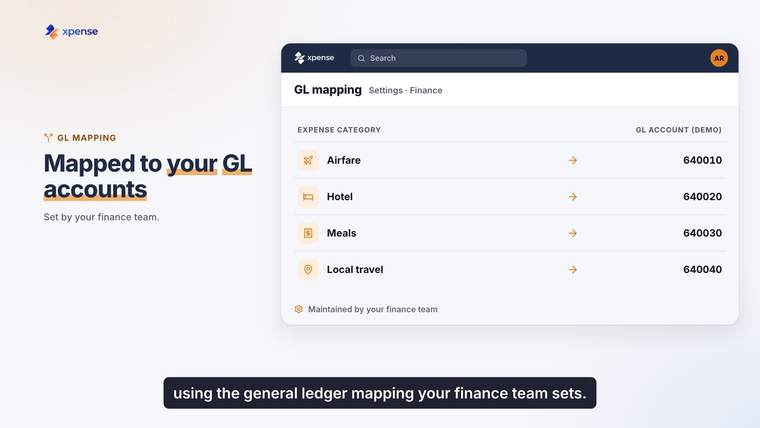
Posting uses GL mapping, so an expense lands on the GL account that its category is mapped to.
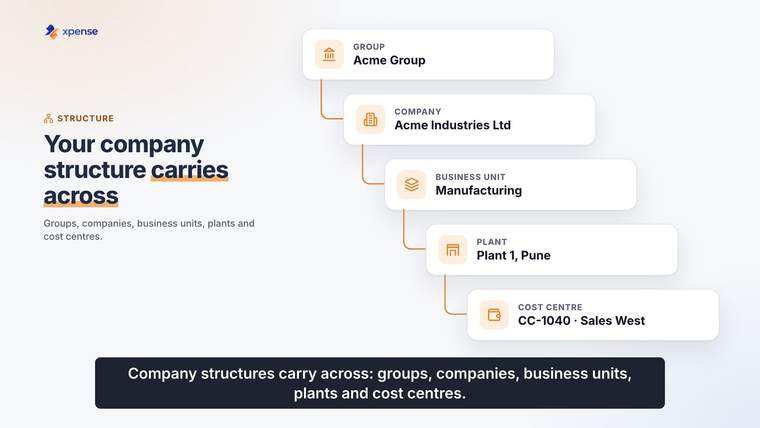
Xpense holds multi-entity structures: company groups, companies, business units, plants, cost centres and projects. Trips and claims are raised against that structure.
GST details are captured and validated at submission and included in report exports. HSN and TDS masters are maintained in Xpense.
Tally voucher export is available.
Approved utility bills post to SAP as vendor invoices.
Utility billsApprovals and actions are logged, so the report that was posted has its approval history with it.
The Raymond customer story describes Xpense working across more than one SAP landscape. The story page has the video.
How Raymond rolled out Xpense, in a short video from AeonX Digital.
Read the Raymond storyThis is a company credential of AeonX Digital. It is not a certification of the Xpense product.

Yes. Xpense posts approved expense reports to SAP, with GL mapping.
An expense report is posted after it has been approved. Reports that are still waiting for approval are not posted.
Xpense supports multi-entity structures: company groups, companies, business units, plants, cost centres and projects.
Yes. GST details are captured and validated at submission and included in report exports.
Tally voucher export is available.
Yes. AeonX Digital, which builds Xpense, is an SAP Gold Partner.