Trips booked week after week
The flight is booked inside the trip request, and each fare is checked against your travel policy.

People who travel for work every week raise the trip in Xpense, book the flight within policy, and file their expenses from the mobile app or by WhatsApp chat.
The flight is booked inside the trip request, and each fare is checked against your travel policy.
Receipts are read automatically, with duplicate detection.
Expenses can be filed from the mobile app or by WhatsApp chat.
The AeonX Prepaid Card is available, issued and managed from Xpense.
The booking lives inside the trip request. After approval the ticket is issued and stays on the trip.
The traveller raises the trip, with policy applied.
One-way or round-trip, a fare calendar, cabin class and preferences.
Each fare is marked in policy or needs approval.
The trip goes through your approval levels.
The ticket is issued.
Claims follow from the app or WhatsApp.
The traveller raises the trip and adds the flight to it. The fare rules can be opened before a fare is chosen.
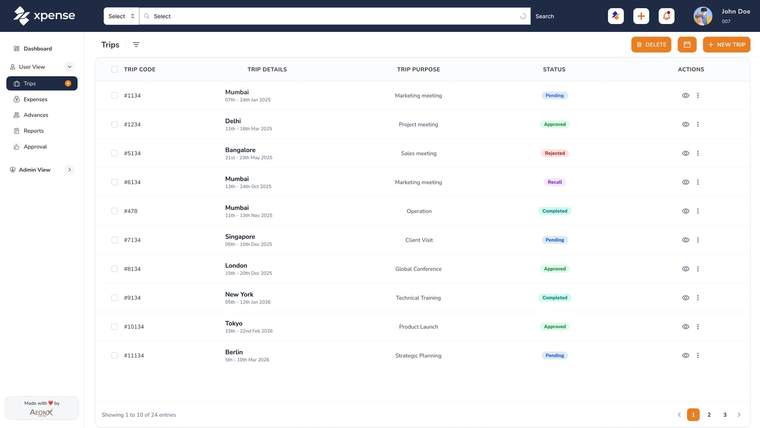
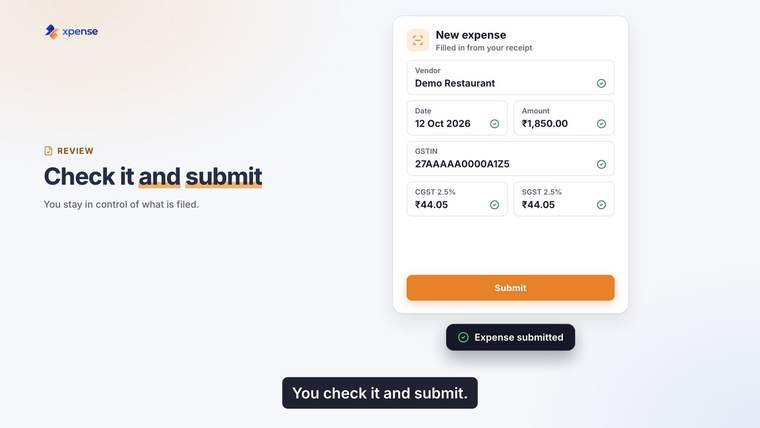
An employee files an expense in the mobile app, or types what they spent in a WhatsApp chat. If they send a photo of the receipt, it is read for them.
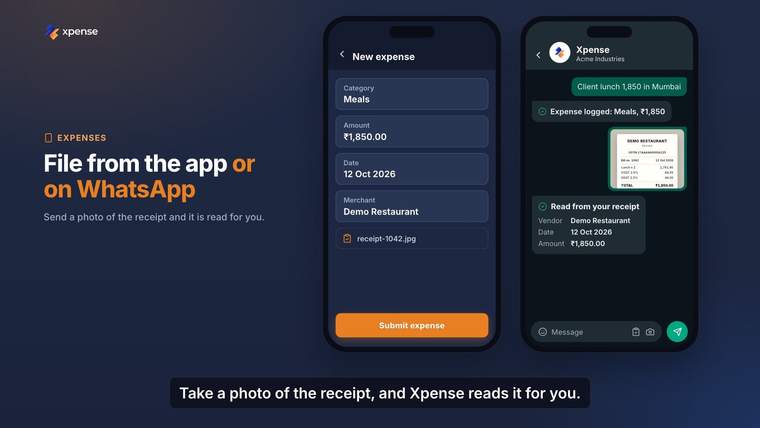
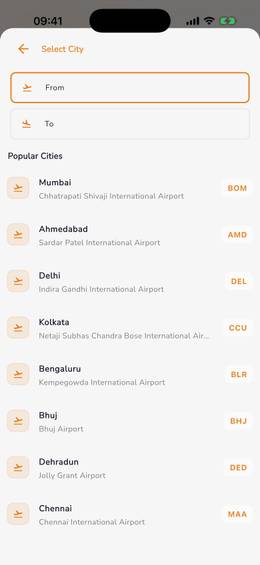
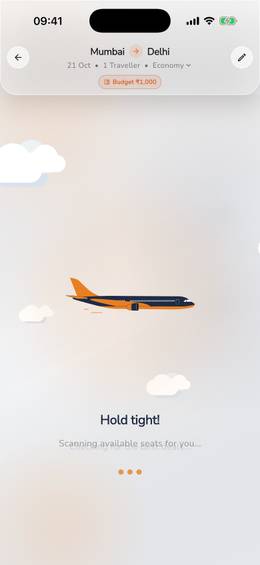
The city picker, the search and the flight on the trip request, as they look in the Xpense app.
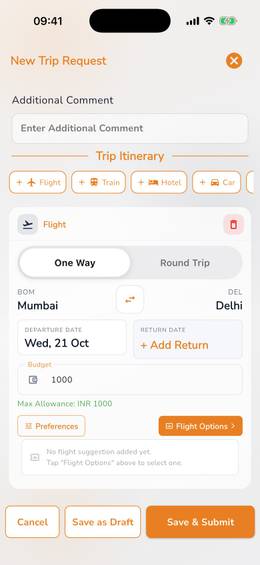
International trips can be booked, including trips with several passengers.
Hotel booking is available for domestic stays.
Corporate tickets are paid from the company's travel wallet in Xpense.
The Xpense app runs on Android and iOS.
Trips can be created by WhatsApp chat as well as expenses.
A rule-based policy check runs on every claim at submission.
The approval request arrives on WhatsApp with a link that opens it in Xpense.
Scan and pay from the Xpense app, using the card balance.
A member can freeze the card or report it lost.
The employee checks the fields that were read and submits the claim. A receipt that matches one already submitted is flagged.
What is paid with the AeonX Prepaid Card comes into Xpense for expense reporting.
Trip requests with your travel policy and city-class limits applied.
Travel desk pageGST details validated at submission and carried into report exports.
Finance controller pageApprovals through your own levels, and a finance dashboard.
CFO pageYes. The traveller cancels from the same screen. The cancellation charges are shown before they confirm.
Domestic hotel booking is available in Xpense.
Each fare shows whether it is in policy or needs approval. The traveller can open the fare rules before choosing.
From the mobile app, from the web, or by chatting on WhatsApp. On WhatsApp they can type what they spent or send a photo of the receipt.
Yes. Receipts are read automatically using OCR. The employee checks what was read and submits the claim.
It is a prepaid card for employee business spend. The card is issued and managed from Xpense.