
Receipt OCR for expense claims, with duplicate detection
The employee takes a photo of the receipt. Xpense reads it, the employee checks what was read, and a receipt that was already submitted is flagged.
From the photo to the claim
Photo
Take a photo in the app, or send it on WhatsApp.
Read
The receipt is read automatically (OCR).
Check
The employee checks what was read and submits.
Duplicate check
A receipt already submitted is flagged.
The employee stays in control of what is filed
Reading the receipt does not submit the claim. The employee sees what was read, corrects it if needed and submits. On submission the claim is checked against your policy.
-
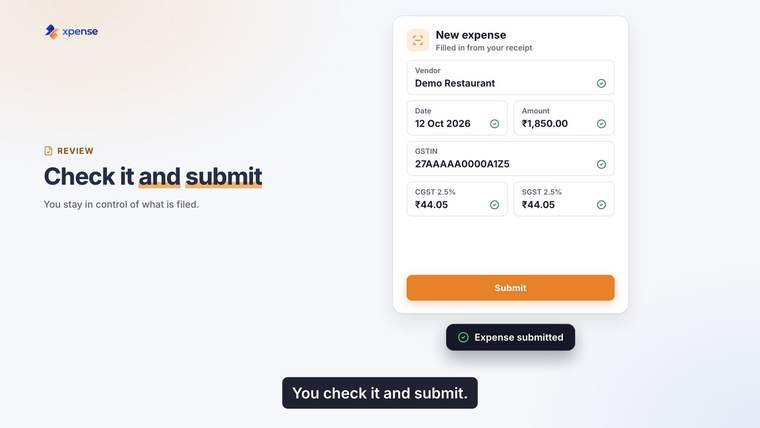
The employee checks what was read, then submits.
The same bill twice is flagged
Duplicate detection is part of receipt reading. When a receipt matches one that was already submitted, the claim carries a duplicate flag for the reviewer to look at.
-
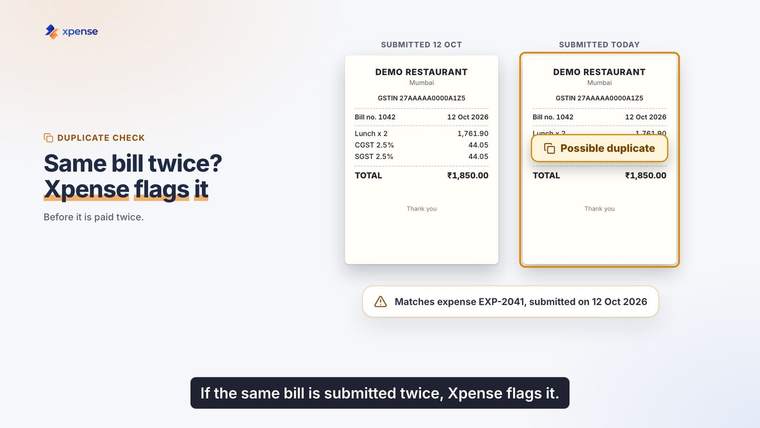
A possible duplicate, flagged.
GST details go with the claim
GST details are captured and validated when the claim is submitted, and they are included in report exports.
-
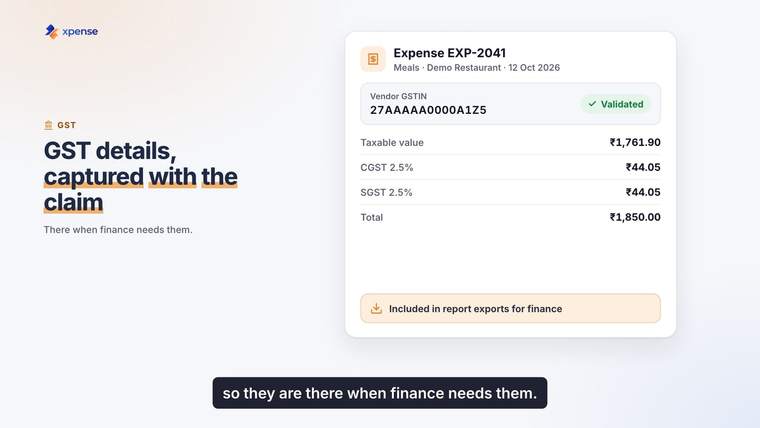
GST details on the claim.
In the app
-
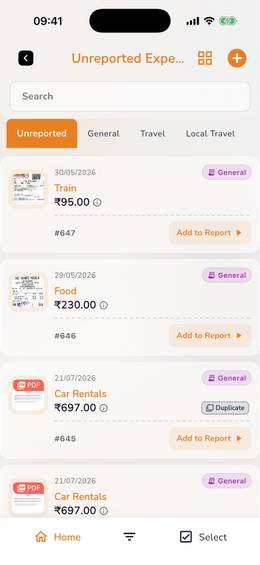
Unreported expenses, with a duplicate flag.
Questions about receipts
Does Xpense read receipts?
Yes. Receipts are read automatically using OCR. The employee checks what was read and submits the claim.
What happens if the same bill is submitted twice?
Receipt reading includes duplicate detection, so a receipt that matches one already submitted is flagged.
How is mileage claimed?
Mileage is calculated from the route and the rate for your vehicle.
Does Xpense capture GST details?
Yes. GST details are captured and validated when the claim is submitted, and they are included in report exports. HSN and TDS masters are maintained in Xpense.
Can an expense be filed without opening the app?
Yes. An employee can file an expense by WhatsApp chat. If they send a photo of the receipt, it is read for them.