
Frequently asked questions
Questions buyers and users ask about Xpense, grouped by topic. If yours is not here, ask us in a demo.
Product
What is Xpense?
Xpense is the travel and expense management platform from AeonX Digital. It covers trip requests, flight and domestic hotel booking, expense claims, approvals, advances and reports, with a mobile app for Android and iOS.
Which parts of the process does Xpense cover?
A trip starts as a request and is booked inside Xpense. Expenses are filed, checked against your policy when they are submitted, and approved level by level. Approved expense reports are posted to SAP.
Can Xpense handle a group with several companies?
Yes. You can set up company groups, companies, business units, plants, cost centres and projects. Approval workflows are configured per module and per company.
Who uses Xpense inside a company?
Employees raise trips and file claims, managers approve, and finance reviews and posts. Access is role-based, and there are dashboards for finance, managers and travel.
Is there a video of the product?
Yes. The product tour and the shorter feature videos are in the video library. They are recorded with demo data.
Travel and air tickets
How does a trip request work?
The employee enters the purpose, the travel type and the dates, and adds the flights and hotels the trip needs. Your travel policy and city-class limits apply to the request.
Can employees book their own flights?
Yes. They search flights inside the trip request, and each fare is checked against your travel policy. After approval the ticket is issued and stays on the trip.
What can a traveller choose when searching?
One-way or round-trip, the dates from a fare calendar, the cabin class and their traveller preferences.
Can a booking be cancelled?
Yes. The traveller cancels from the same screen. The cancellation charges are shown before they confirm.
Does air ticket booking cover international trips?
Yes. International trips can be booked, including trips with several passengers.
Can hotels be booked in Xpense?
Domestic hotel booking is available in Xpense.
How does a traveller know a fare is within policy?
Each fare shows whether it is in policy or needs approval. The traveller can open the fare rules before choosing.
Who pays for a company ticket?
Corporate tickets are paid from the company's travel wallet in Xpense.
Can someone book for a colleague?
Yes. A person with the permission can book on behalf of a colleague.
Can employees book personal flights in Xpense?
Yes. An employee can book a personal flight in Xpense and pay for it themselves.
How is a personal ticket booked?
From the Personal tab of "Book a flight" in the mobile app, or from Self Travel on the web. The employee searches, reviews the fare and pays online, and the ticket is issued.
Can flights be booked from the mobile app?
Yes. In the app, "Book a flight" has a Business tab and a Personal tab. A business booking made there goes to the reporting manager for approval after booking.
Does a personal ticket need a trip request or an approval?
No. The employee pays for it, so the ticket is issued without a trip request or approval.
How does the travel desk see what is going on?
Xpense has a travel dashboard alongside the finance and manager dashboards, and every trip has a timeline of its approvals and actions.
Expenses and receipts
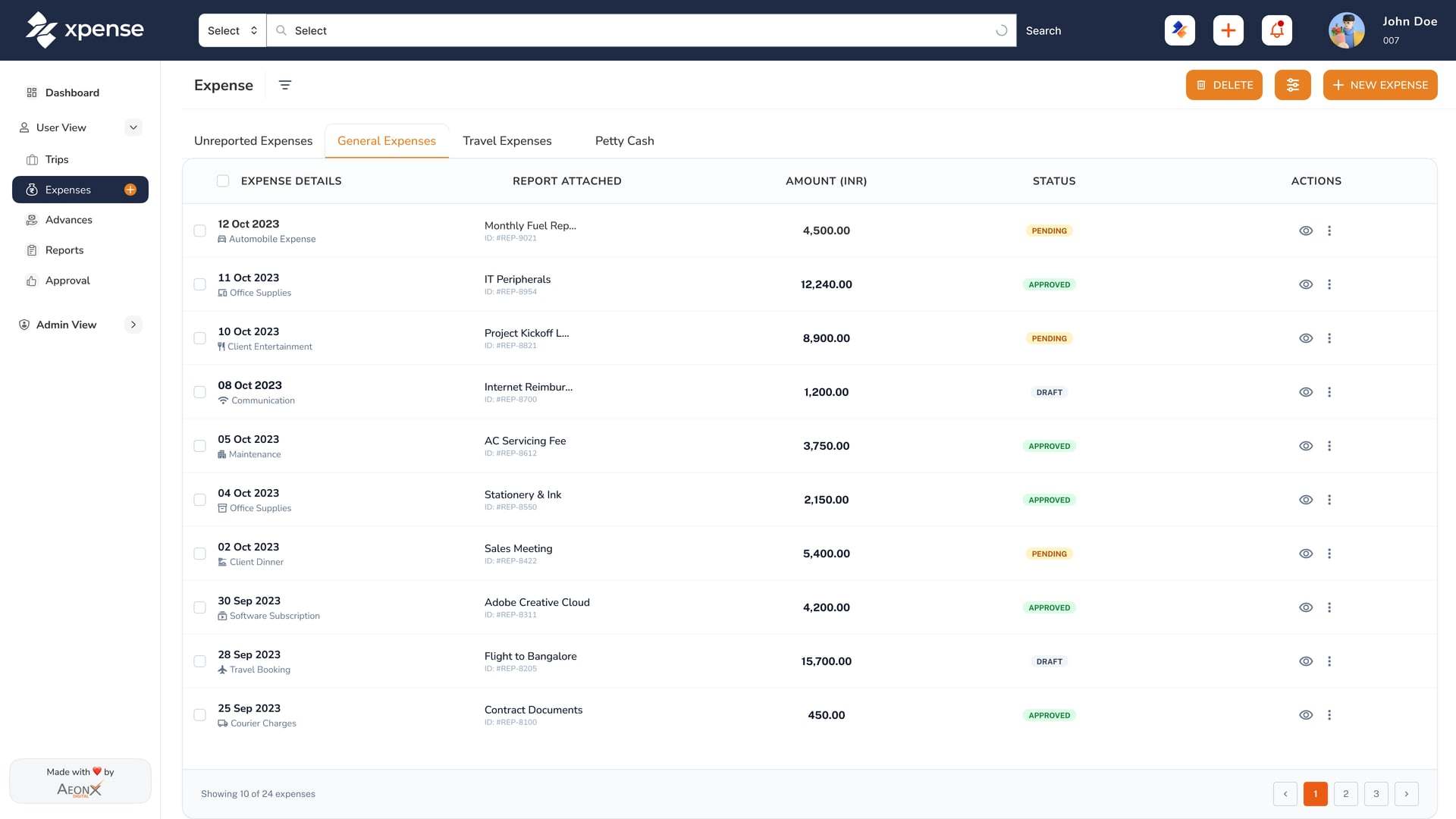
How do employees file an expense?
From the mobile app, from the web, or by chatting on WhatsApp. On WhatsApp they can type what they spent or send a photo of the receipt.
Does Xpense read receipts?
Yes. Receipts are read automatically using OCR. The employee checks what was read and submits the claim.
What happens if the same bill is submitted twice?
Receipt reading includes duplicate detection, so a receipt that matches one already submitted is flagged.
How is mileage claimed?
Mileage is calculated from the route and the rate for your vehicle.
Does Xpense capture GST details?
Yes. GST details are captured and validated when the claim is submitted, and they are included in report exports. HSN and TDS masters are maintained in Xpense.
Can an expense be filed without opening the app?
Yes. An employee can file an expense by WhatsApp chat. If they send a photo of the receipt, it is read for them.
Policy and approvals
When is a claim checked against policy?
When it is submitted, before it reaches an approver. Every claim is checked against the policy you have configured.
Is the policy check done by AI?
No. The policy check is rule-based. It applies the rules and limits you set up.
Can approvals have more than one level?
Yes. Approval workflows are multi-level, and you configure them per module and per company.
What if an approver is away?
Approval workflows support delegation, so an approver can hand their approvals to someone else while they are away.
What happens when an approval is left waiting?
Xpense sends a reminder when an approval passes its SLA.
Can an approver act from WhatsApp?
The approval request arrives on WhatsApp with a link. The link opens the request in Xpense, where the approver signs in and approves or rejects it.
What record is kept of approvals?
Approvals and actions are logged, and every trip, expense and advance has a timeline that shows who did what and when.
Advances
Can employees ask for an advance?
Yes. Advances and petty cash are requested and tracked in Xpense.
How is an advance settled?
An advance is tracked from the request through to settlement, so finance can see what was issued and what is left to settle.
Are advances in foreign currency supported?
Yes. Advances, petty cash and settlement work in more than one currency.
Can I see the history of an advance?
Yes. Every advance has a timeline of its approvals and actions.
Utility bills
What does Xpense do for store utility bills?
Stores file their utility bills in Xpense. A bill is filed against a store and a vendor, with the bill number, the invoice amount and a copy of the bill.
How are stores set up?
Each store is set up with its company, city, cost centre and category. You name the categories yourself, for example FOCO and COCO.
Is a bill handled differently for one category of store?
No. A category is only a label. Bills are filed in the same way for every store.
Who approves a utility bill?
Utility bills follow their own approval chain, which you set up for them.
What happens after a utility bill is approved?
Accounts add the tax code, HSN and TDS details. The bill then posts to SAP as a vendor invoice, and it shows as paid in Xpense when the payment is recorded.
Can a store file a bill from a phone?
Yes. Utility bills can be filed from the mobile app and through the WhatsApp assistant.
Can finance report on utility bills by store?
Yes. Utility reports can be filtered and exported with the store, the vendor and the bill number.
AeonX IQ and AI
What is AeonX IQ?
AeonX IQ is the assistant inside Xpense. An employee can create a trip or log an expense by chatting with it.
What does AeonX IQ do for approvers?
AeonX IQ writes a summary on each expense report, so the approver can read the summary before opening the report.
Does AeonX IQ work on WhatsApp?
Yes. The same assistant works on WhatsApp, where employees can file expenses and create trips by chat.
Can AeonX IQ create something without asking me?
No. AeonX IQ asks you to confirm before it creates or submits anything.
How do I use AeonX IQ in the mobile app?
It has its own Chat tab. You can type, send a photo or a PDF of a bill, or use the voice mode.
What can I ask AeonX IQ?
It can list your trips, expenses and reports and check an expense against policy. It also helps approvers with trips and reports.
What is Smart Approver?
Smart Approver gives each submitted report a green, amber or red rating with a reason. The approver sees the rating and makes the decision.
Where do summaries appear?
Summaries appear on expense reports, advances and trips.
Which parts of Xpense use AI?
The AeonX IQ assistant and its report summaries. Receipts are read automatically using OCR. Policy checks are rule-based and do not use AI.
Who decides whether AI features are on?
AI features are switched on per company from an AI control plane.
How is AI usage paid for and controlled?
AI usage is metered, with plans and budgets, so the usage of each company is measured against the plan it is on.
MCP
What is the Xpense MCP server?
The Model Context Protocol (MCP) is an open standard for connecting AI assistants and agents to business systems. Xpense has an MCP server, so assistants and agents that speak the protocol can work with Xpense.
How is access controlled over MCP?
Every MCP call carries the employee's own sign-in token and is bound to one company. An assistant can do only what that employee can do.
What can an assistant do through MCP?
The tools cover Xpense operations such as trips, expenses, advances and reports.
Who is the MCP server for?
Teams that already use an assistant that speaks MCP, or are building their own agents, and want it to work with Xpense under each employee's own access.
SAP and exports
Does Xpense post to SAP?
Yes. Xpense posts approved expense reports to SAP, with GL mapping.
What is posted, and when?
An expense report is posted after it has been approved. Reports that are still waiting for approval are not posted.
Does our company structure carry into Xpense?
Xpense supports multi-entity structures: company groups, companies, business units, plants, cost centres and projects.
Are GST details part of what finance receives?
Yes. GST details are captured and validated at submission and included in report exports.
We use Tally. What is available?
Tally voucher export is available.
Is AeonX Digital an SAP partner?
Yes. AeonX Digital, which builds Xpense, is an SAP Gold Partner.
Prepaid card
What is the AeonX Prepaid Card?
It is a prepaid card for employee business spend. The card is issued and managed from Xpense.
Can employees pay by UPI?
Yes. In the Xpense app they scan a QR or pay to a UPI ID, choose the spending category, and confirm in the AeonX Prepaid Card app.
How does money get onto a card?
The company funds a pool account and tops up each member's wallet. A member can also request a top-up.
What happens to a card payment in Xpense?
Each payment appears in Xpense. The member attaches the receipt and can tag the payment to a trip.
What controls are there on a card?
A member can freeze the card or report it lost. Admins set spend controls for each member and see every transaction.
Do card payments show up in expense reports?
Card payments come into Xpense for expense reporting.
How do we get the card for our company?
Book a demo and tell us you are interested in the AeonX Prepaid Card. The card is issued and managed from Xpense.
Mobile app
Is there a mobile app?
Yes. Xpense has a mobile app for Android and iOS, on Google Play and the App Store.
What can employees do in the app?
Raise a trip request, book business and personal flights, and file expenses with receipts that are read automatically.
Is AeonX IQ in the app?
Yes. AeonX IQ is the assistant inside Xpense, and an employee can create a trip or log an expense by chat.
Can employees pay from the app?
With the AeonX Prepaid Card they can pay by UPI: scan and pay from the Xpense app using the card balance.
Security and access
How is access controlled?
Access is role-based. Finance decides what each role can see and do.
Can we sign in with our Microsoft accounts?
Sign in with Microsoft is available.
How are integration credentials stored?
Integration credentials are encrypted at rest.
What certifications does AeonX Digital hold?
AeonX Digital is certified to ISO/IEC 27001, ISO 9001 and ISO/IEC 20000-1.
What can an AI assistant reach through MCP?
Only what the signed-in employee can. Every MCP call carries the employee's own sign-in token and is bound to one company.
How do we report a security issue or ask about privacy?
Write to privacy@aeonx.digital.
Buying and onboarding
How is Xpense priced?
Xpense is priced per user, by custom quote. AI usage is metered separately, with plans and budgets.
Can we buy through AWS Marketplace?
Yes. Xpense is available in AWS Marketplace.
How do we see the product?
Book a demo. We reply within one business day.
Who do we talk to about buying?
Call sales on +91 79654 80532 or write to sales@aeonx.digital.
We are already a customer. Where do we get support?
Write to support@aeonx.digital.