Bills from every store
A utility bill is filed against its store and its vendor, with the bill number, the invoice amount and a copy of the bill.

Store utility bills are filed per store, approved and posted to SAP as vendor invoices. Petty cash and advances are tracked through to settlement.
A utility bill is filed against its store and its vendor, with the bill number, the invoice amount and a copy of the bill.
Every store is in Xpense with its own cost centre.
Petty cash and advances are requested in Xpense.
An approved bill goes to SAP as a vendor invoice, and is marked paid once the payment is recorded.
Utility bills follow their own approval chain.
The store enters the bill and attaches a copy.
The approvers in the chain act on it.
Accounts complete the tax code, HSN and TDS.
The bill posts to SAP as a vendor invoice.
It shows as paid when the payment is recorded.
A store carries its company, its city, its cost centre and a category.
The categories are yours to name, FOCO and COCO for example, and a category is only a label.
Whoever handles the bills for a store opens a utility expense and fills in four things.
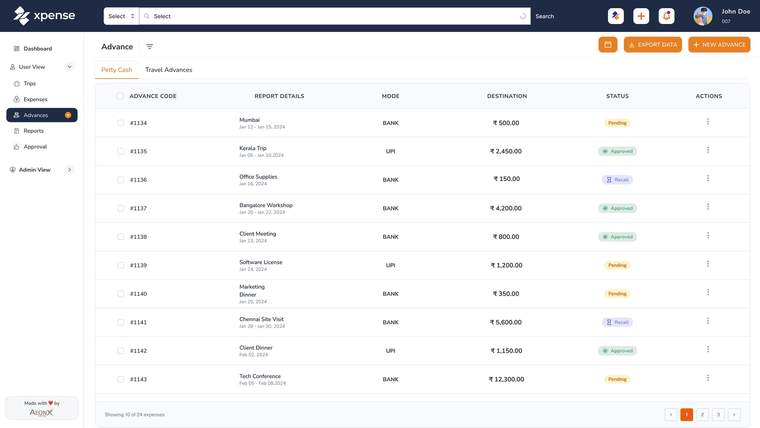
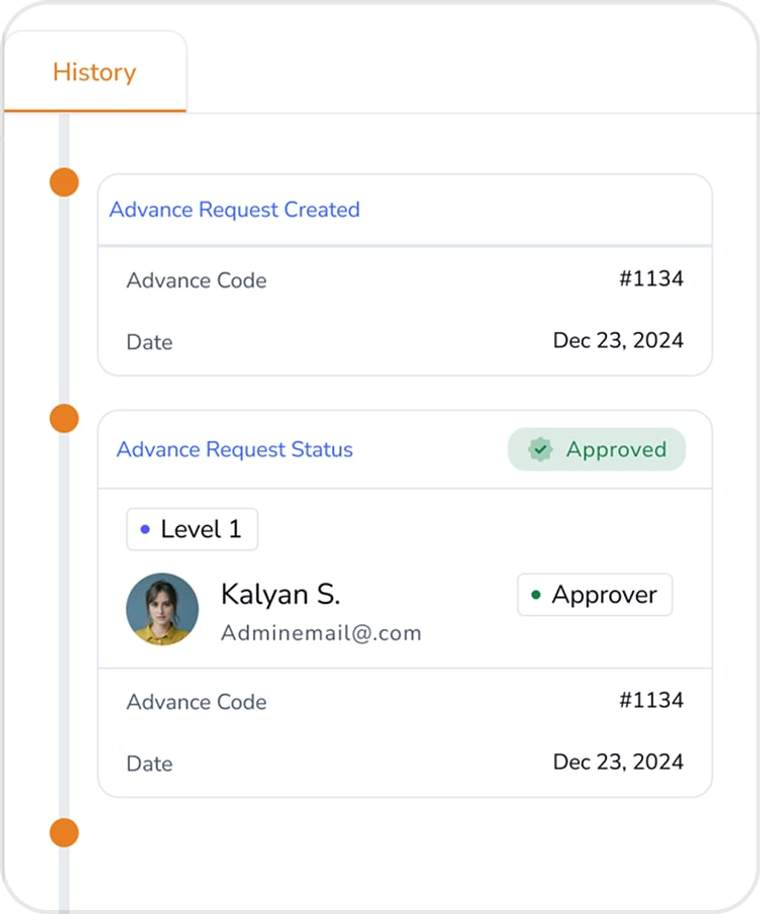
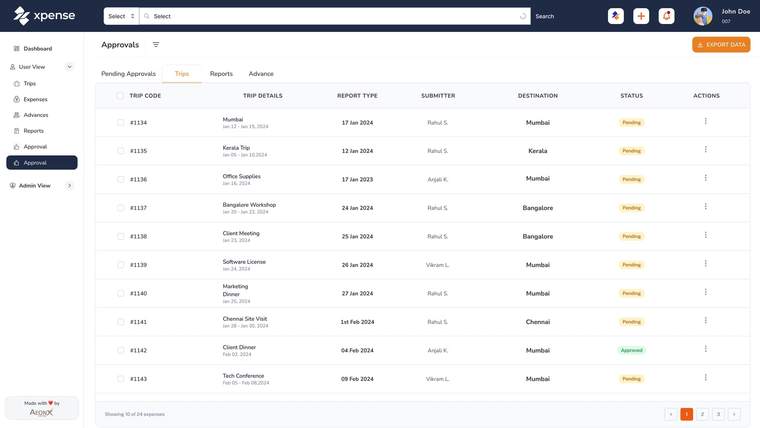
The advances list, the history of one advance request and the approvals list, shown with demo data.
You set the chain up for utility bills, apart from the chains for trips and expense claims.
Approval workflows are multi-level and set per module and per company.
Before a bill posts, accounts fill in its tax code, HSN and TDS details.
Expense reports post to SAP once approved, with GL mapping.
Utility reports are filtered and exported with the store, the vendor and the bill number.
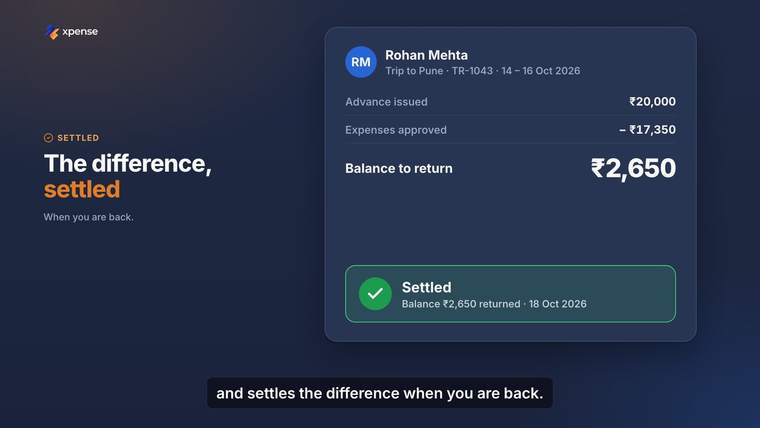
Advance settlement is tracked end to end, in more than one currency.
An expense claim is checked against your policy when it is submitted, by rule.
There are dashboards for finance, for managers and for travel.
An advance or a petty cash request is followed from the request to its settlement.
Each advance has a timeline of its approvals and actions.
A store can file its bills from the Xpense mobile app, or through the WhatsApp assistant.
Finance, manager and travel dashboards, and approval and action logs.
CFO pageDuplicate receipts flagged on expense claims, and GST details validated at submission.
Finance controller pageAccess is role-based, so store staff see what their role allows.
HR shared services pageStores file their utility bills in Xpense. A bill is filed against a store and a vendor, with the bill number, the invoice amount and a copy of the bill.
Each store is set up with its company, city, cost centre and category. You name the categories yourself, for example FOCO and COCO.
No. A category is only a label. Bills are filed in the same way for every store.
Utility bills follow their own approval chain, which you set up for them.
Accounts add the tax code, HSN and TDS details. The bill then posts to SAP as a vendor invoice, and it shows as paid in Xpense when the payment is recorded.
Yes. Utility bills can be filed from the mobile app and through the WhatsApp assistant.