The policy check, already done
Every claim is checked against your policy when it is submitted, before it reaches the approver.

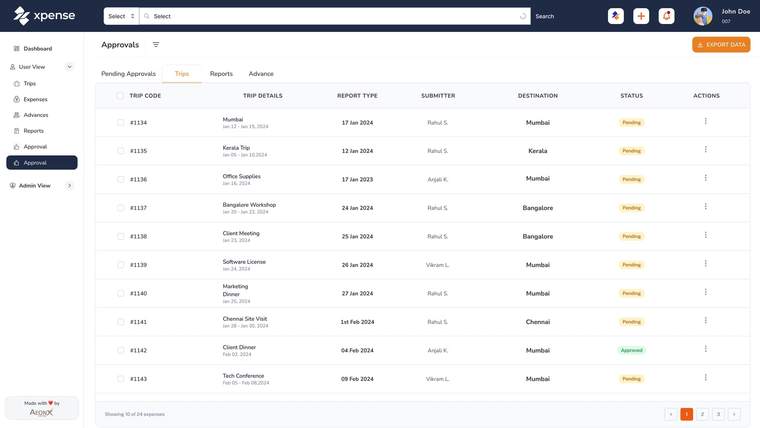
You decide who approves what, level by level. Xpense routes each trip, claim and advance through those levels, reminds approvers who are late, and logs every action.
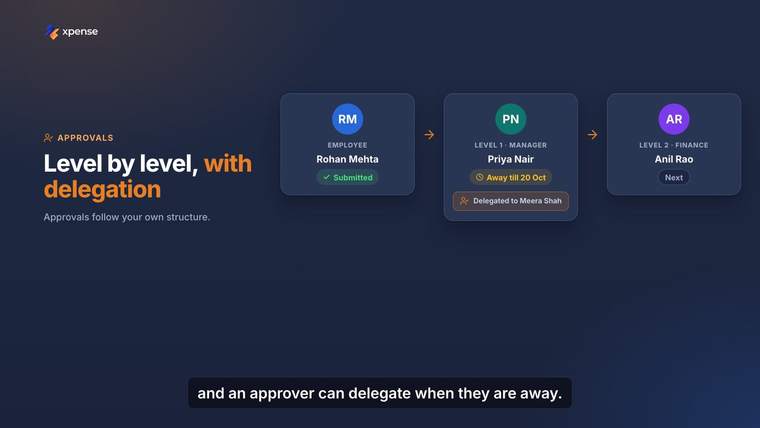
An approval workflow can have several levels: a manager, a department head, finance. You configure the workflow separately for each module and for each company.
Workflows support delegation. An approver who is going to be away hands their approvals to someone else for that period.
Every claim is checked against your policy when it is submitted, before it reaches the approver.
AeonX IQ writes a summary on each expense report for the approver.
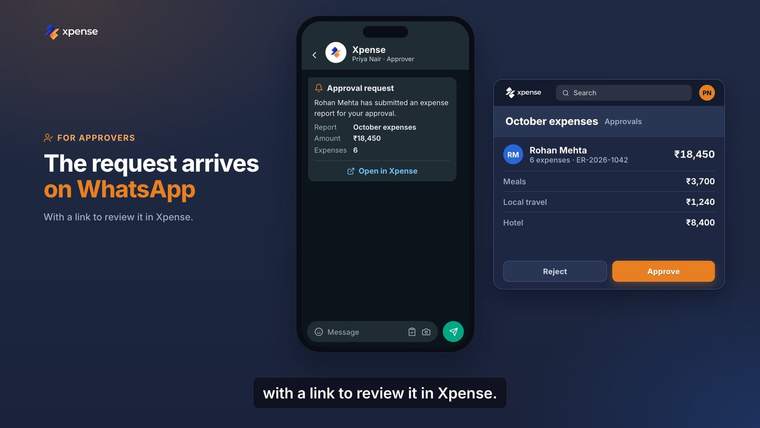
The approval request arrives on WhatsApp with a link. The link opens the request in Xpense.
Xpense sends a reminder when an approval passes its SLA.
The approver gets a WhatsApp message that says what is waiting. The link in the message opens the request in Xpense, where the approver signs in, reads it and approves or rejects it.
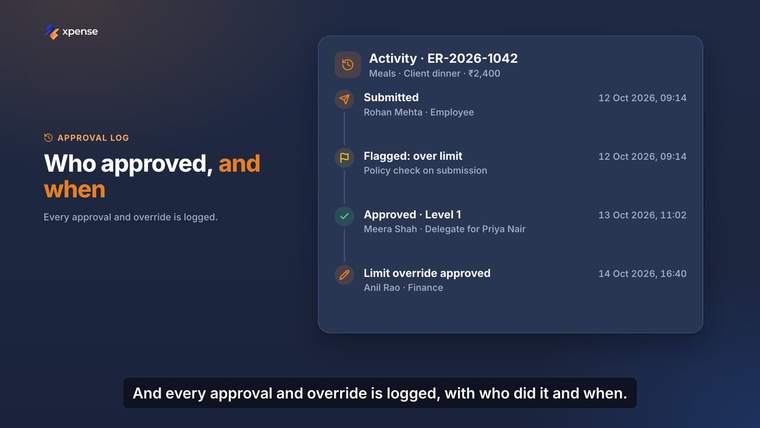
Approvals and actions are logged. Every trip, expense and advance has a timeline that shows each step, the person who took it and the time.
Access is role-based, so the log can be read by the people whose role allows it.
When it is submitted, before it reaches an approver. Every claim is checked against the policy you have configured.
No. The policy check is rule-based. It applies the rules and limits you set up.
Yes. Approval workflows are multi-level, and you configure them per module and per company.
Approval workflows support delegation, so an approver can hand their approvals to someone else while they are away.
Xpense sends a reminder when an approval passes its SLA.
The approval request arrives on WhatsApp with a link. The link opens the request in Xpense, where the approver signs in and approves or rejects it.