Mobile app
The Xpense app runs on Android and iOS. Employees raise trips and file expenses from it.
Get the app
Xpense covers a business trip from the request to the reimbursement. The same employees, policies, company structure and approval levels run through every area.
Pick an area to see what it does and what it looks like.
Expense claims, receipts and policy checks
Trip requests, flight booking and domestic hotel booking
Flight search, policy check, ticketing and cancellation
Multi-level approval workflows, approval and action logs
Advances, petty cash and settlement
Dashboards, report exports and GST details
Utility bills for stores: filing, approval and posting
A prepaid card for employee business spend
The employee raises a trip. Travel policy and city-class limits apply.
Flights are searched and booked inside the request, within policy.
Claims are filed from the app, the web or WhatsApp. Receipts are read automatically.
Each claim is checked against policy and approved level by level.
Approved expense reports are posted to SAP, with GL mapping.
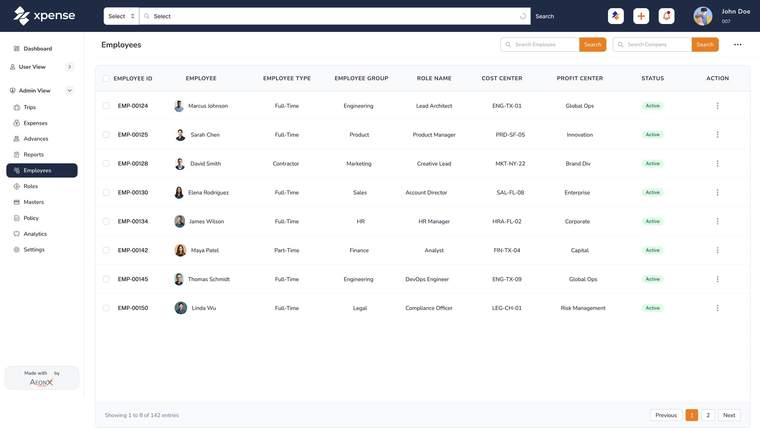
Xpense holds your company groups, companies, business units, plants, cost centres and projects. Employees sit in that structure, and approval workflows are configured per module and per company.
Access is role-based, so each person sees the trips, claims and reports that their role allows.
The Xpense app runs on Android and iOS. Employees raise trips and file expenses from it.
Get the appThe assistant inside Xpense. Create a trip or log an expense by chat.
AeonX IQ and AIFinance, managers and the travel desk each have a dashboard.
ReportsApprovals and actions are logged. Every trip, expense and advance has a timeline.
SecurityAdvances and petty cash are tracked through to settlement, in more than one currency.
AdvancesAI assistants and agents that speak the Model Context Protocol can work with Xpense.
MCP serverXpense is the travel and expense management platform from AeonX Digital. It covers trip requests, flight and domestic hotel booking, expense claims, approvals, advances and reports, with a mobile app for Android and iOS.
A trip starts as a request and is booked inside Xpense. Expenses are filed, checked against your policy when they are submitted, and approved level by level. Approved expense reports are posted to SAP.
Yes. You can set up company groups, companies, business units, plants, cost centres and projects. Approval workflows are configured per module and per company.
Employees raise trips and file claims, managers approve, and finance reviews and posts. Access is role-based, and there are dashboards for finance, managers and travel.
Yes. The product tour and the shorter feature videos are in the video library. They are recorded with demo data.