Mileage claims
Mileage is calculated from the route and your vehicle rate.

Field teams claim mileage from the route, file expenses from the mobile app or by WhatsApp chat, and ask for an advance in Xpense. Every claim is checked against your policy.
Mileage is calculated from the route and your vehicle rate.
The mobile app is on Android and iOS, and WhatsApp chat works for filing too.
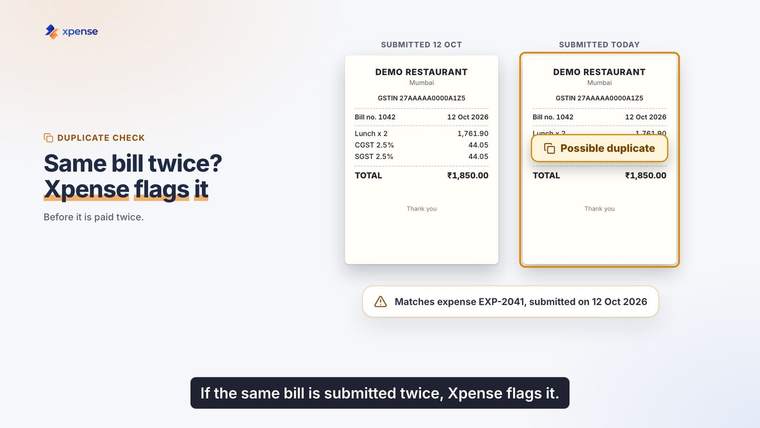
A photo of the receipt is read automatically, and a possible duplicate is flagged.
Field staff ask for an advance in Xpense.
From the advance to the approval.
Requested in Xpense before the work starts.
Filed in the app or by WhatsApp chat.
Photographed and read.
Worked out from the route and the vehicle rate.
Run by rule when the claim is submitted.
Level by level, with reminders.
An employee types what they spent, or sends a photo of the receipt. Trips can be raised in the same chat.
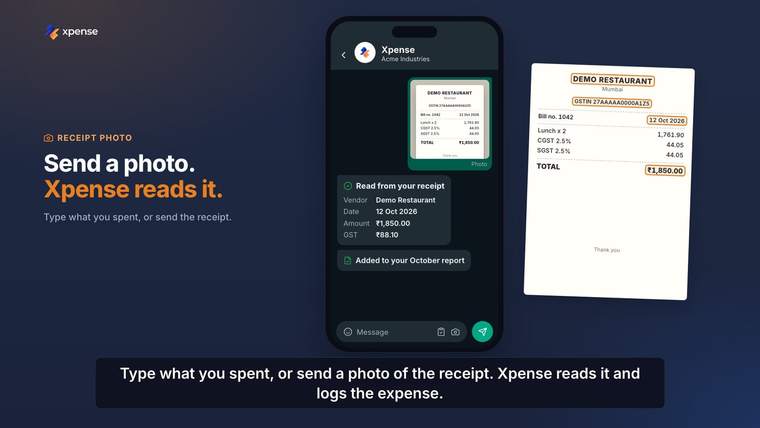
The policy you configured is applied to the claim before it reaches an approver. A receipt that matches one already submitted is flagged on the claim.
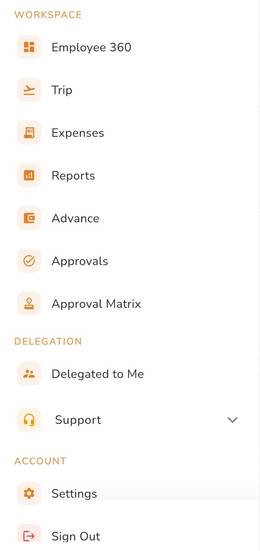
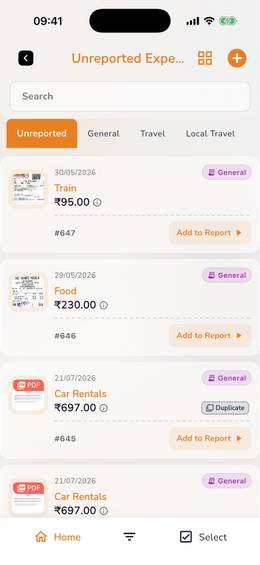
The app menu, and unreported expenses with a duplicate flag.
Advances and settlement work in more than one currency.
Petty cash is tracked in Xpense alongside advances.
Receipt reading includes duplicate detection.
Each claim is checked against your policy at submission, by rule.
Approval workflows are multi-level, configured per module and company.
Xpense reminds the approver when an approval passes its SLA.
GST details are captured and validated when the claim is submitted.
Managers and finance each have a dashboard.
When the work needs a trip, the request carries your travel policy.
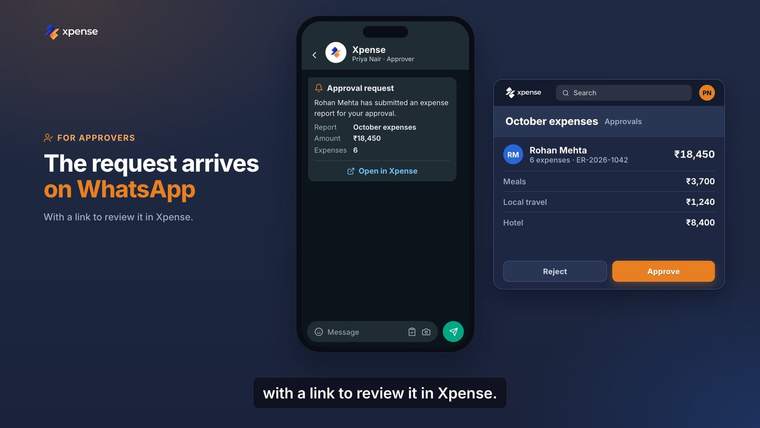
The manager gets the approval request on WhatsApp, with a link. The link opens the request in Xpense, where the manager signs in and decides.
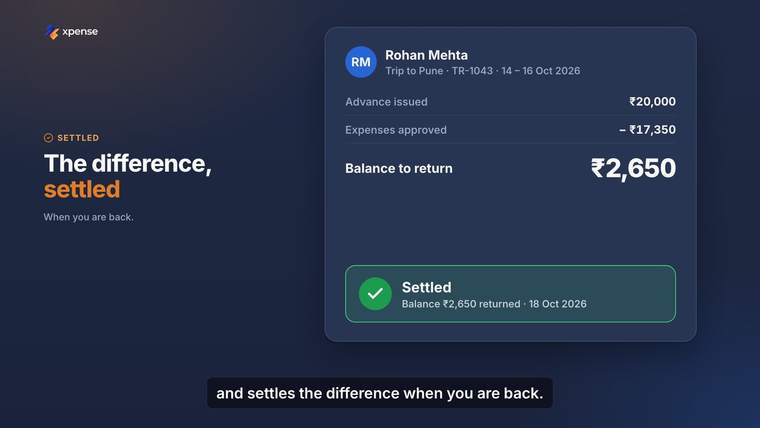
The advance is tracked through to settlement, so finance can see what was issued and what is left to settle.
Duplicate receipts flagged, and claims checked against policy.
Finance controller pageDashboards for finance and for managers, and a log of approvals.
CFO pageEvery expense has a timeline of its approvals and actions.
HR shared services pageFrom the mobile app, from the web, or by chatting on WhatsApp. On WhatsApp they can type what they spent or send a photo of the receipt.
Mileage is calculated from the route and the rate for your vehicle.
Yes. An employee can file an expense by WhatsApp chat. If they send a photo of the receipt, it is read for them.
Yes. Advances and petty cash are requested and tracked in Xpense.
When it is submitted, before it reaches an approver. Every claim is checked against the policy you have configured.
No. The policy check is rule-based. It applies the rules and limits you set up.