Its own tab
In the mobile app AeonX IQ has its own Chat tab.

AeonX IQ is the assistant inside Xpense. An employee says what they need in plain words, and AeonX IQ creates the trip request or logs the expense.
The employee tells AeonX IQ the destination and the dates.
AeonX IQ shows what it will create and asks the employee to confirm.
After the confirmation, the trip request is created in Xpense.
The trip goes through the same approval levels as any other trip.
The employee tells AeonX IQ what they spent and on what. AeonX IQ replies with the expense it is about to log and two buttons: Confirm and Cancel. It asks you to confirm before it creates or submits anything.
The claim is then treated like any other. It is checked against your policy when it is submitted.
In the mobile app AeonX IQ has its own Chat tab.
Send a photo or a PDF of a bill in the chat.
The Chat tab has a voice mode.
AeonX IQ can list your trips.
It can list your expenses and your reports.
It can check an expense against policy.
It helps approvers with trips and reports.
AeonX IQ writes a summary on each expense report. Summaries appear on advances and trips too. The approver reads the summary first, then opens the item.
The decision stays with the approver. The summary is something to read.
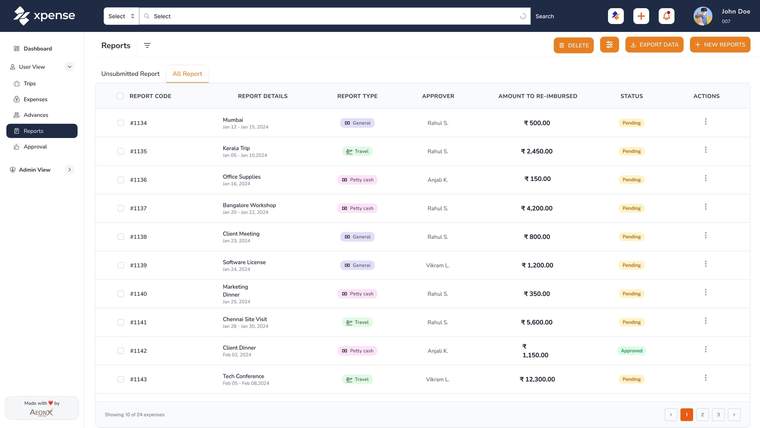
Smart Approver gives each submitted report a green, amber or red rating, with a reason, for the approver to see.
It is a rating. The approver reads the reason, opens the report and makes the decision.
AeonX IQ is the assistant inside Xpense.
The same assistant works on WhatsApp: file expenses and create trips by chat.
On WhatsAppAI features are switched on per company from an AI control plane, and AI usage is metered with plans and budgets.
AeonX IQ is the assistant inside Xpense. An employee can create a trip or log an expense by chatting with it.
AeonX IQ writes a summary on each expense report, so the approver can read the summary before opening the report.
Yes. The same assistant works on WhatsApp, where employees can file expenses and create trips by chat.
No. AeonX IQ asks you to confirm before it creates or submits anything.
It has its own Chat tab. You can type, send a photo or a PDF of a bill, or use the voice mode.
It can list your trips, expenses and reports and check an expense against policy. It also helps approvers with trips and reports.