
Receipts and Duplicate Claims: What to Check Before You Pay
The checks a finance team should run on receipts before paying an expense claim: is it a valid receipt, is it complete, and has it been claimed before?
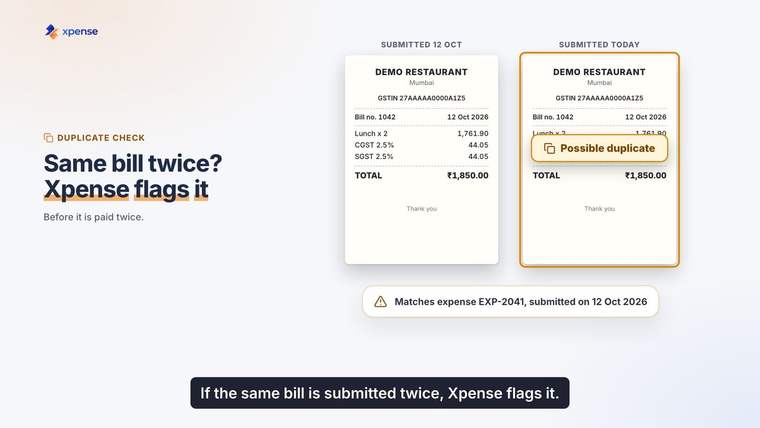
A receipt is the only evidence most expense claims have. Yet in many companies the receipt is the least examined part of the claim. The approver looks at the amount and the category. Nobody opens the attachment.
This article sets out what to check on a receipt before the company pays, in the order that catches the most problems for the least work. It also looks at duplicate claims, which are more often a mistake than a fraud and are easy to stop once you look for them.
Check one: is it a receipt at all?
Employees attach many things that are not receipts.
- A card charge slip shows that money moved. It does not show what was bought.
- A booking confirmation shows an intention. The trip may have been cancelled.
- An order summary from an app may not be the tax invoice.
- A photo that cannot be read is nothing.
Your policy should say which documents are accepted for each category. For most spend, ask for the invoice or bill from the vendor.
Check two: is it complete?
A usable receipt carries a small set of facts. When one is missing, the claim should go back to the employee, not forward to the approver.
| Detail | What to look for |
|---|---|
| Vendor | A name, and a registration number where the vendor is registered |
| Date | A date inside the trip or the claim period |
| Amount | A total that matches the amount claimed |
| Items | Enough description to place the spend in a category |
| Tax | Tax amounts shown separately, where the vendor charges tax |
| Payment | Evidence that the bill was paid, where your policy asks for it |
Which tax details a receipt must carry is a question for your tax adviser. Two mismatches are common and worth checking every time. The first is a claim for more than the receipt shows. The second is a receipt dated outside the trip.
Check three: does it fit the policy?
This is a different question from whether the receipt is genuine. A genuine receipt can still be outside policy.
- Is the amount within the limit for that category and grade?
- Was the spend in a city and on a date that matches the trip?
- Does the category need a prior approval that is missing?
- Are personal items mixed in with business items on one bill?
These checks are mechanical. They are better done by a system at submission than by a person at the month end.
Check four: has it been claimed before?
Duplicate claims happen in a few ordinary ways.
- The same person, twice. An employee files a claim from their phone, forgets, and files it again from the laptop a week later.
- Two people, one bill. Colleagues share a dinner. Both hold a copy of the bill. Both claim it.
- Two formats. The hotel emails a PDF and hands over a printed copy. One is claimed this month and one next month.
- Advance and claim. An expense paid from an advance is also claimed as a reimbursement.
Most of these are honest mistakes. They are still money paid twice.
How to find a duplicate
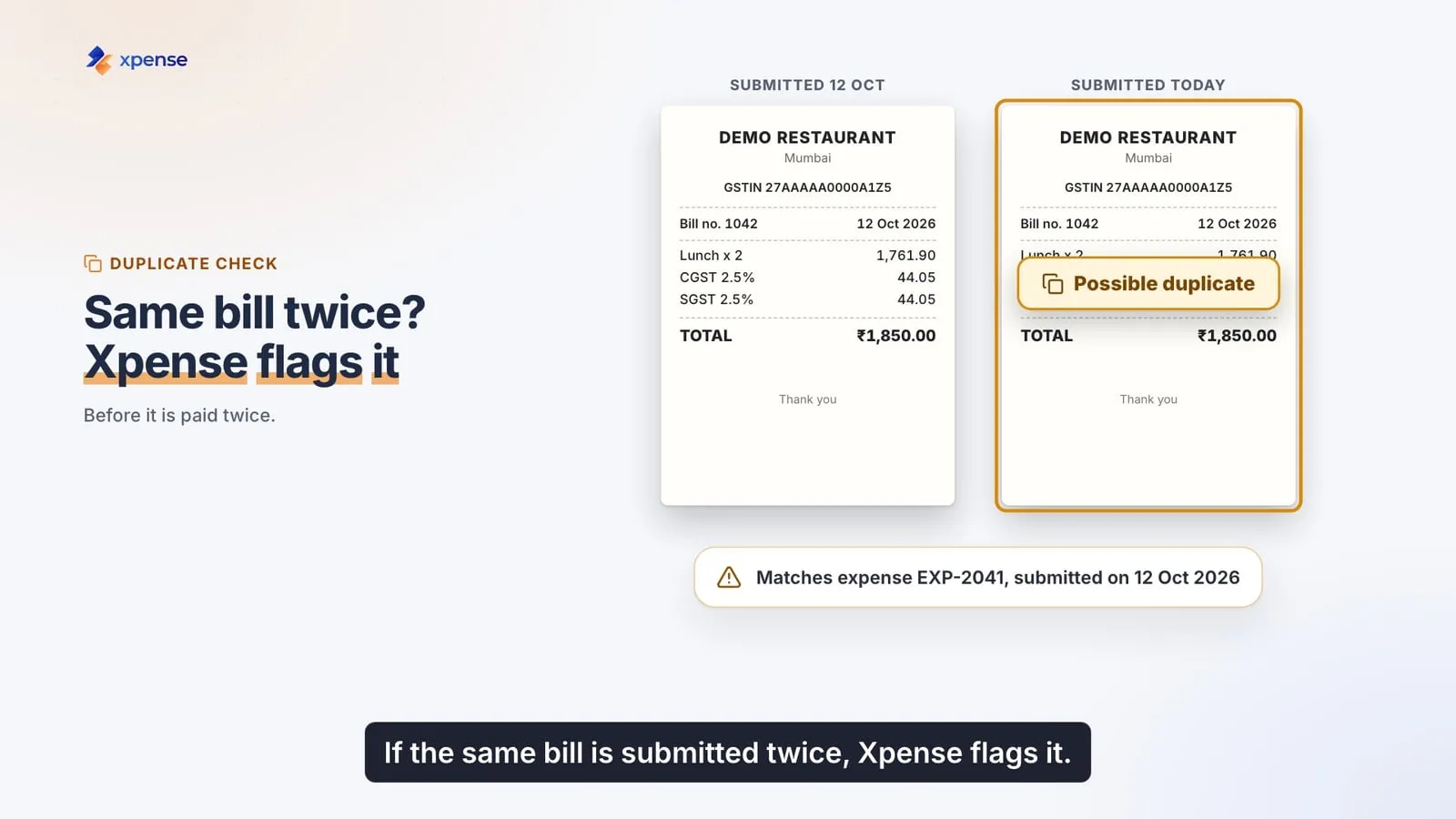
A duplicate is found by comparing facts, not file names. Compare:
- The vendor.
- The invoice or bill number.
- The date.
- The amount.
When the vendor, the bill number and the amount match a claim that already exists, treat it as a possible duplicate and have a person look. Do not reject it automatically. Two real bills can look alike, for example two taxi rides of the same fare on one day.
The comparison has to run across all employees and across periods. A check that only looks inside one report will miss the shared dinner and the claim that is filed twice in different months.
Read the receipt once, at the source
Every check above needs the facts on the receipt to be in a form that can be compared: vendor, date, amount, bill number. If those facts are typed in by the employee, they will contain errors, and the checks will be weaker.
Reading the receipt when it is captured helps in two ways. The employee types less, and the details that the checks rely on come from the document itself. The employee should still confirm what was read. A reading step is not perfect, and the person who paid the bill is the best one to correct it.
What to do with a flagged claim
A flag is a prompt for a person, not a verdict.
- Show the reviewer both claims side by side.
- Ask the employee for an explanation if the two look the same.
- Record the decision and the reason with the claim.
- If it is a duplicate, close the second claim. Do not delete it. The record matters.
Over time, look at where the flags come from. If one team produces most of them, the cause is usually a process, such as shared bills, and can be fixed with a rule.
Keep the image with the claim
Store the receipt image with the claim, the approval and the payment. When a question comes up later, you want to open one record and see everything.
How Xpense handles this
- Receipts are read automatically (OCR), with duplicate detection.
- An employee can file an expense by WhatsApp chat. If they send a receipt photo, it is read for them.
- Every claim is checked against your policy when it is submitted.
- GST details are captured and validated at submission and included in report exports.
- Approvals and actions are logged, and every expense has a timeline.
The duplicate flag is there for a reviewer to act on. The decision stays with your team.
See receipt reading and expense claims.