
Expense Approvals: Levels, Delegation and Reminders
How to design an expense approval workflow that holds: how many levels to use, who approves what, how delegation works, and when a reminder should go out.
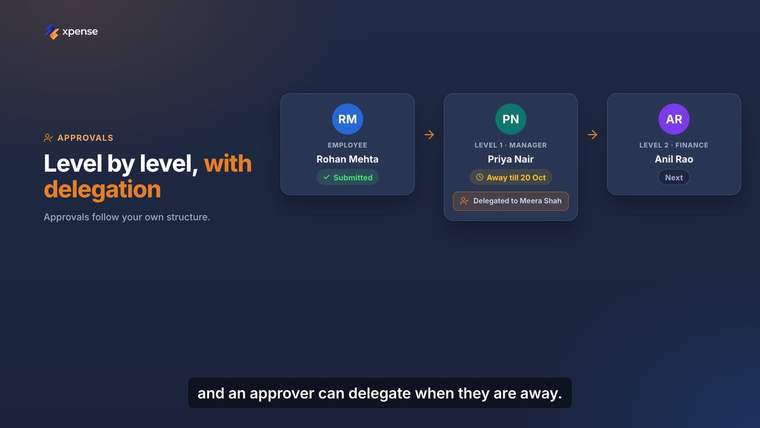
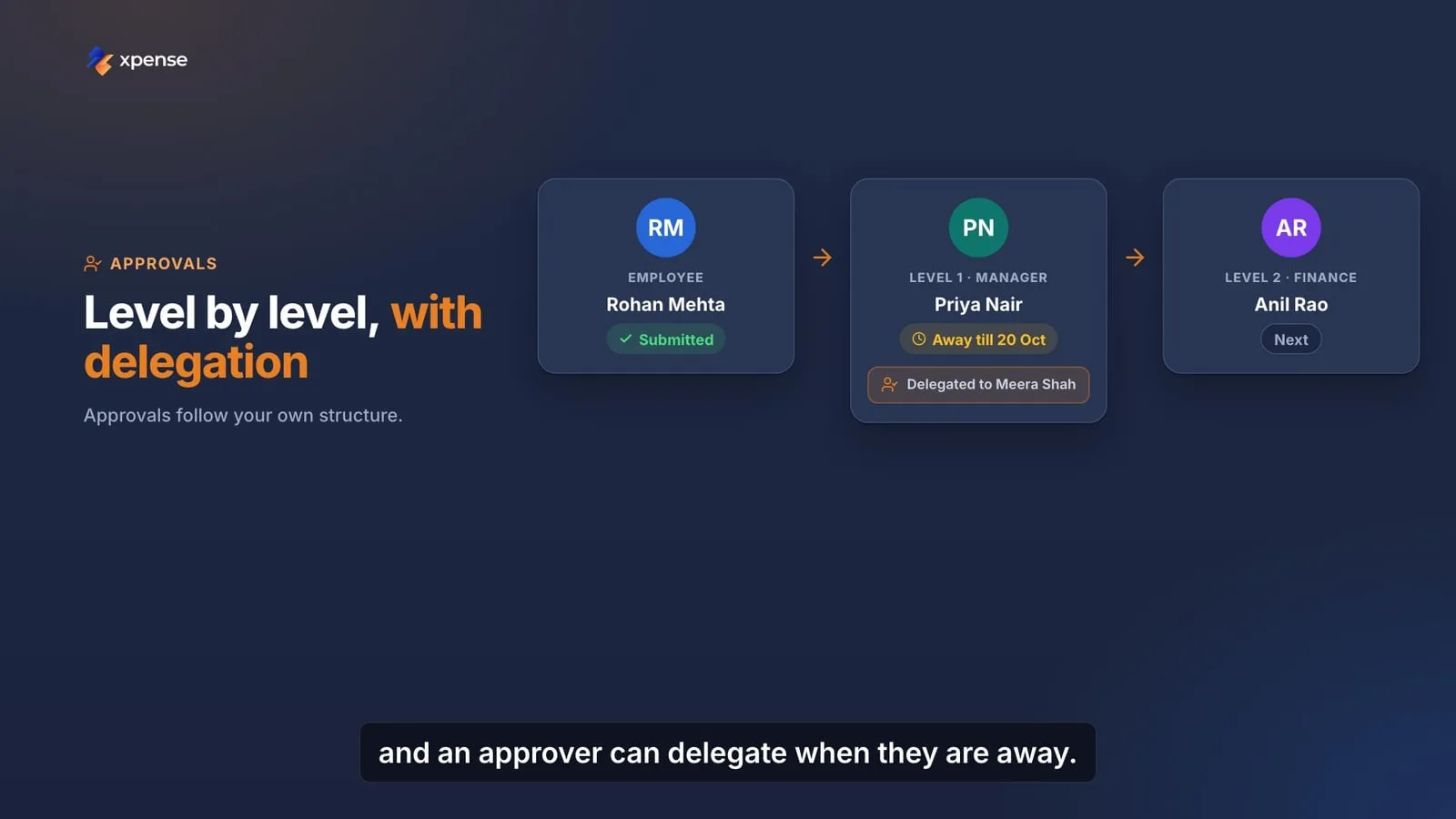
An approval workflow is a promise. It says that before the company pays, the right people have looked. When the workflow is badly designed, the promise is kept on paper and broken in practice: approvers click through a queue they do not read, or claims wait for a manager who left in March.
This article is about designing a workflow that people actually use. It is written for finance teams and for anyone who has inherited an approval matrix they did not draw.
Start from the decision, not the org chart
For each level, ask what that person is deciding. If you cannot say, the level should not exist.
- The manager knows whether the trip happened and whether the spend was for work.
- The department or cost centre owner knows whether the spend belongs to their area.
- Finance knows whether the claim follows policy and carries the right documents.
Three levels cover most claims. Each extra level adds waiting, and a level that adds nothing teaches people to approve without reading.
Use amount and type to add levels
Not every claim needs every level. A common pattern:
| Request | Levels |
|---|---|
| Local conveyance within policy | Manager |
| Domestic trip | Manager, then travel desk if a booking is needed |
| Claim over a policy limit | Manager, then finance |
| International trip | Manager, department head, finance |
| Advance | Manager, then finance |
Write your own version of this table. Keep the conditions few and clear. If a rule needs a paragraph to explain, approvers will not remember it.
Let policy checks do the first read
An approver should not be the person who notices that a meal is over the limit. That check is mechanical. It should happen before the claim reaches a human.
When the policy check runs at submission:
- The employee learns about the problem while they can still fix it.
- The approver sees a claim that has already been checked, with any exception marked.
- Finance looks at exceptions instead of at everything.
This changes what an approval means. The approver is no longer checking arithmetic. They are answering the question only they can answer: was this spend for the business?
Plan for absence
Approvals stall for one main reason: the approver is not there. Leave, travel, a resignation or a reorganisation can each stop a queue.
Design for it:
- Delegation. An approver who is going to be away names a delegate for a period. The delegate approves in their place, and the record shows who acted.
- A fallback. If nobody is named, say where the request goes. The approver’s own manager is the usual answer.
- Leavers. When a person leaves, their pending approvals must move. Make this a step in the exit checklist.
Never solve absence by sharing a login. The record then shows the wrong person, and the workflow is no longer evidence of anything.
Set a time for each level, and remind
Decide how long each level has. Two or three working days is common for a manager. Then decide what happens when that time passes.
A reminder to the approver is the first step, and often the only one you need. Most late approvals are forgotten, not refused. A reminder that arrives where the approver already is, on their phone, gets a response.
Be careful with anything stronger. Moving a request to the next level without a decision removes a control. If you do it, do it knowingly and record that it happened.
Give the approver what they need
An approver decides well when the request is easy to read. A good approval screen shows:
- Who is asking and for what.
- The total, and how it breaks down.
- The receipts.
- What the policy check found.
- A short summary, so that the approver knows what to look at first.
If an approver has to open four screens to understand one claim, they will stop trying.
Keep the record
Every approval should leave a trace: who approved, at which level, when, and whether they acted for someone else. Keep the same record for rejections and for exceptions.
Auditors ask for this, but it also helps you. A workflow you can read back is a workflow you can improve. You can see which level is slow and which rule produces the most exceptions.
Review the matrix
Review the approval matrix when the organisation changes, and at least once a year. Look for levels where nothing is ever rejected. Either the level is not needed, or the approver is not reading.
How Xpense handles this
- Every claim is checked against your policy when it is submitted.
- Approval workflows are multi-level, configurable per module and company, with delegation.
- Xpense sends reminders when an approval passes its SLA.
- Approval requests arrive on WhatsApp with a link to approve in Xpense.
- AeonX IQ writes a summary on each expense report for the approver.
- Approvals and actions are logged, and every trip, expense and advance has a timeline.
The workflow itself is yours to design. Xpense applies it the same way every time.
See approval workflows and AeonX IQ.