
GST on Business Travel: What to Capture on Each Claim
What finance teams in India should capture on a travel or expense claim so that GST details are complete: the invoice, the vendor and the amounts.
When a company pays for a hotel room or a client dinner, it also pays GST. Whether the company can take credit for that tax is a question of law, and the answer depends on the kind of expense, the vendor and the documents. That question belongs to your tax adviser.
What belongs to the finance team is the paperwork. A credit that the law allows can still be lost because the invoice was in the wrong name, or the details were never recorded, or the claim reached finance after the return was filed. This article is about that paperwork: what to capture on each claim, and when.
It does not state rates, thresholds or sections. Please check those with your tax adviser.
Why claims lose their GST details
The details are usually lost at the first step. An employee pays at the hotel desk, receives a slip in their own name, and files a claim with the total amount. By the time finance sees it, three things have gone wrong:
- The invoice is in the employee’s name, not the company’s.
- The company’s GST registration number is not on the invoice.
- The tax amount is not shown separately, or the vendor’s registration number is missing.
None of these can be fixed at the month end. They can only be fixed at the counter, by the employee, on the day.
What to ask the employee to collect
Give employees a short list. Short lists are followed. Long policies are not.
- A tax invoice, not a payment slip or a card charge slip.
- The invoice made out to the company, with the company’s registered name.
- The company’s GST registration number on the invoice, for the state where the company is registered for that supply.
- The vendor’s name and GST registration number.
- The invoice number and date.
- The taxable value and the tax amounts shown separately.
Print the company’s registered name and registration numbers on a card or keep them in the travel app, so that an employee at a hotel desk can show them.
What finance should record on the claim
A claim that is going to support a tax position needs more than an amount and a category.
| Field | Why it is needed |
|---|---|
| Vendor name and GST registration number | Identifies the vendor on the invoice |
| Invoice number and date | Ties the claim to one document |
| Taxable value | The base on which tax was charged |
| Tax amounts, by type | What was actually charged |
| HSN or SAC code, where shown | Classifies the supply |
| Place of supply, where relevant | Decides which tax applies |
| A copy of the invoice | The evidence |
Validate when the claim is filed, not later
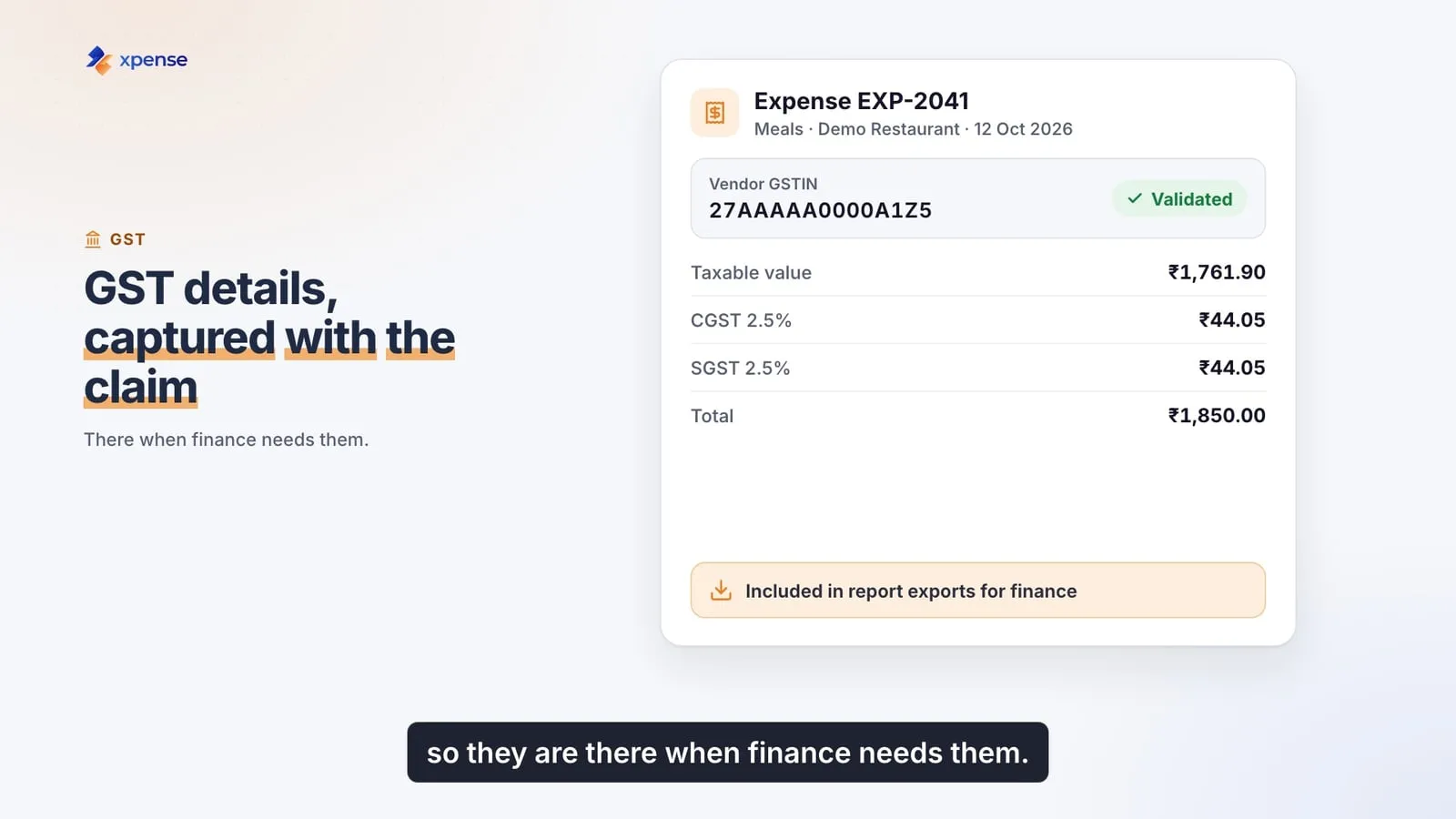
The best moment to check these details is the moment of submission. The employee still has the invoice, still remembers the vendor and can still go back to the hotel.
Checks that are worth doing at that point:
- Is the vendor’s registration number in a valid format?
- Do the tax amounts add up to the total on the invoice?
- Is there a copy of the invoice attached?
- Has the same invoice been claimed before?
A check that runs at submission is a small step for the employee. The same check a month later means a chase by email.
Which expenses to look at with your adviser
Some categories of business spend are treated differently from others for credit purposes. Food, personal use, some kinds of vehicle hire and employee benefits are the usual areas where the rules need care. Do not decide these claim by claim. Agree a treatment for each category with your tax adviser, write it into the policy and set the category up that way in your system.
Travel has its own patterns
- Hotels. The hotel is in the state where the employee stays. Whether your company is registered in that state matters. Ask your adviser how to handle stays in states where you are not registered.
- Air travel. The carrier or the agent issues the tax invoice. Make sure the booking is made with the company’s details, so that the invoice comes in the company’s name.
- Agents and aggregators. There may be two invoices: one for the service and one for the agent’s fee. Collect both.
Keep the evidence together
When someone asks about a claim two years later, you need the invoice, the claim, the approval and the posting in one place. Decide where that place is and how long you keep it. Your adviser can tell you the retention period that applies to you.
How Xpense handles this
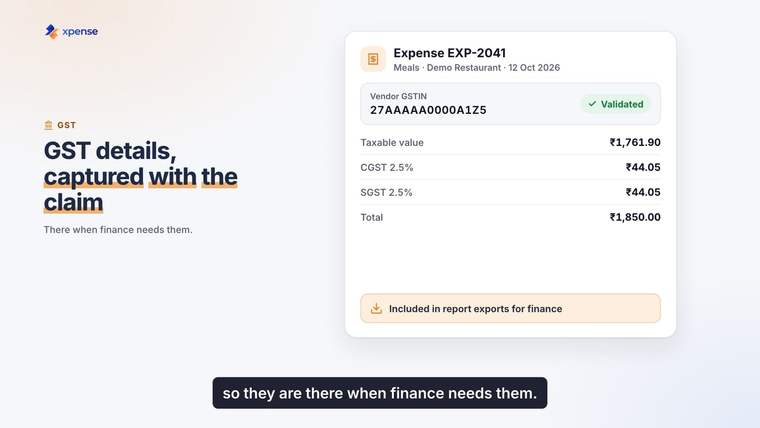
Xpense is built so that the tax details arrive with the claim.
- Receipts are read automatically (OCR), with duplicate detection.
- GST details are captured and validated at submission and included in report exports. HSN and TDS masters are maintained in Xpense.
- Every claim is checked against your policy when it is submitted.
- Approved expense reports are posted to SAP, with GL mapping.
Xpense records and validates the details. It does not decide whether a credit is available to you. That remains a decision for your finance team and your tax adviser.